
The short answer
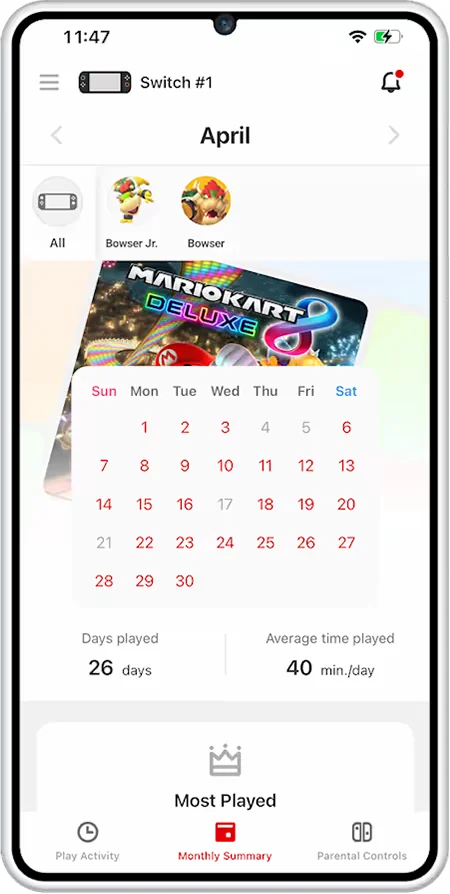
Nintendo's Parental Controls app, run from a parent's own phone, sets how long and how late a Switch can be used, which games are allowed by age rating, and how much can be spent. It also shows a parent who a child has been playing and chatting with, and for how long, but the app's own description stops there: it does not show what was actually said.
What the evidence says
Nintendo's Parental Controls page, current as retrieved on 16 September 2026, describes a free companion app in which a parent can set limits on how long or how late the console can be used each day, with an alarm and an option to suspend software automatically when time runs out. Games can be restricted by ESRB age rating or allowed individually, and a parent can limit a child's ability to exchange messages and images with other users and restrict incoming video chat requests for players under 16. On spending, the app can manage purchases on Nintendo eShop and nintendo.com. On communication specifically, the page states a parent can view a child's chat history, 'including who they played with, for how long', without describing any way to see the content exchanged.
A related page from Nintendo's tools for parents section, also current as retrieved, adds that for younger players, described as 15 and under, or accounts otherwise marked as supervised, setting up GameChat, the console's built-in group voice and video chat, requires parental action through the same app, including management of camera settings for video sessions.
For context
Visibility into who and how long is not the same as visibility into what. A parent using this app can build an accurate picture of a child's play schedule and their circle of regular contacts without ever seeing a single message, which is a real safety signal, since a change in who a child talks to, or for how long, is often noticeable before content ever is. It is a narrower promise than 'parental controls' can sound like, and the documentation does not claim otherwise.
A practical next step
Rather than treating the chat history log as a full safety check, you could use it as a prompt for a direct conversation whenever an unfamiliar name or an unusual jump in playtime with one contact appears.
- Do you check the chat history log, or only the play time totals, when you open the app?
- Does your child know that you can see who they play with, even though you cannot see what is said?
- Is GameChat set up on this account, and if so, who approved it?
The app is genuinely useful for the two things it measures, time and contacts, and honest about the one thing it does not: content. Reading the chat history as a starting point for a conversation, rather than a finished safety check, matches what the documentation actually promises.
Sources & reading trail
Living documentation describing play-time limits, ESRB-based content restriction, communication limits and spending controls, and chat-history visibility without message content.
Source published: Not established · Retrieved: 16 September 2026
States players 15 and under, or supervised accounts, require parental setup of GameChat, including camera settings for video sessions.
Source published: Not established · Retrieved: 16 September 2026
Studies and official documents establish the record; the short answer and the next step are Screens & Childhood editorial interpretation. This retrospective draft does not imply the site published on the event date.