
The short answer
Screen Time is Apple's own accounting and permission system, built into the operating system rather than added as a separate app. It can show a parent how a child's device is actually used, cap categories of apps, and block a device overnight. None of that requires installing anything beyond joining the child's device to a family group.
What the evidence says
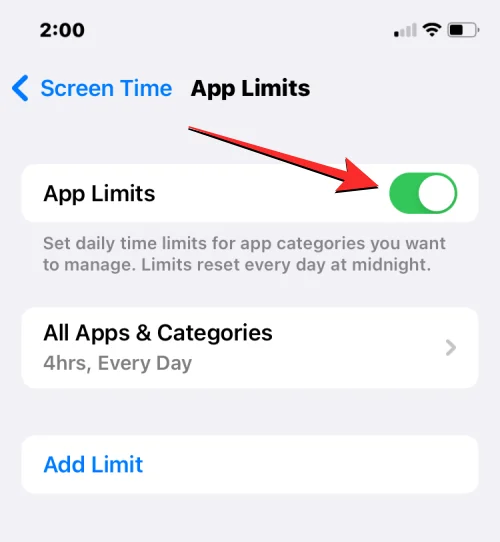
Apple's June 2018 announcement describes three linked features that arrived with iOS 12 that autumn: Activity Reports showing total time in each app, how often the device is picked up, and notifications received; App Limits, a set amount of time in an app or category after which a notification appears; and Downtime, a scheduled block during which only phone calls and chosen apps remain available. The announcement states these are account-based tools that work across all of a child's iOS devices, managed remotely by a parent from their own device within Family Sharing.
Apple's current support documentation, retrieved on 16 September 2026, adds detail the 2018 announcement does not cover. The Screen Time overview describes Communication Limits, which govern who a child can contact by phone, FaceTime or Messages, and Content & Privacy Restrictions, a separate layer for blocking content categories and settings. The parental controls setup guide, also retrieved on 16 September 2026, states that some protections are enabled automatically based on a child's age or region and, in some jurisdictions, cannot be removed by a parent at all.
For context
A limit is not supervision. App Limits and Downtime restrict access to a category or a time window; they say nothing about what a child does inside an allowed app, in a browser tab left open, or on a friend's device. A child can also request more time, and a parent has to be available to grant or refuse it, which is a design choice rather than an oversight. The documentation frames these as tools for a household conversation, not an enforcement system that runs unattended.
A practical next step
Before relying on a limit, you could open Screen Time together with your child and look at one week of Activity Report data before setting anything, so the first conversation is about what is actually happening rather than a number you have guessed.
- Which categories of app use are you trying to see, and which are you trying to restrict?
- Does your child know how to ask for more time, and who is expected to answer that request?
- Are any settings on this device already locked on by age or region, and do you know which ones?
Screen Time is best read as an accounting layer with some gates attached, not a full supervision system. What it reports is real; what it cannot see, including content inside an allowed app, is just as real, and worth naming before a dashboard number stands in for a conversation.
Sources & reading trail
Dates the announcement and describes Activity Reports, App Limits and Downtime as account-based tools within Family Sharing.
Source published: 4 June 2018 · Retrieved: 16 September 2026
Living documentation describing App Limits, Downtime, Communication Limits and Content & Privacy Restrictions as currently implemented.
Source published: Not established · Retrieved: 16 September 2026
Living documentation stating some protections are enabled automatically by age or region and in some jurisdictions cannot be removed.
Source published: Not established · Retrieved: 16 September 2026
Studies and official documents establish the record; the short answer and the next step are Screens & Childhood editorial interpretation. This retrospective draft does not imply the site published on the event date.